Using Jaw Viewer
Inspect the airway and sinuses
An air-space result describes a region of this scan. Start by checking which region the tool selected.
Select and inspect the region
- Open Measure and choose the Airway or the air-space tool for the region you want.
- Run it and wait for the result.
- Check the overlay in every slice direction. Look at the top, bottom and sides of the region, not only at the 3D shape.
- Adjust the region controls if it includes the wrong space or misses part of the one you want.
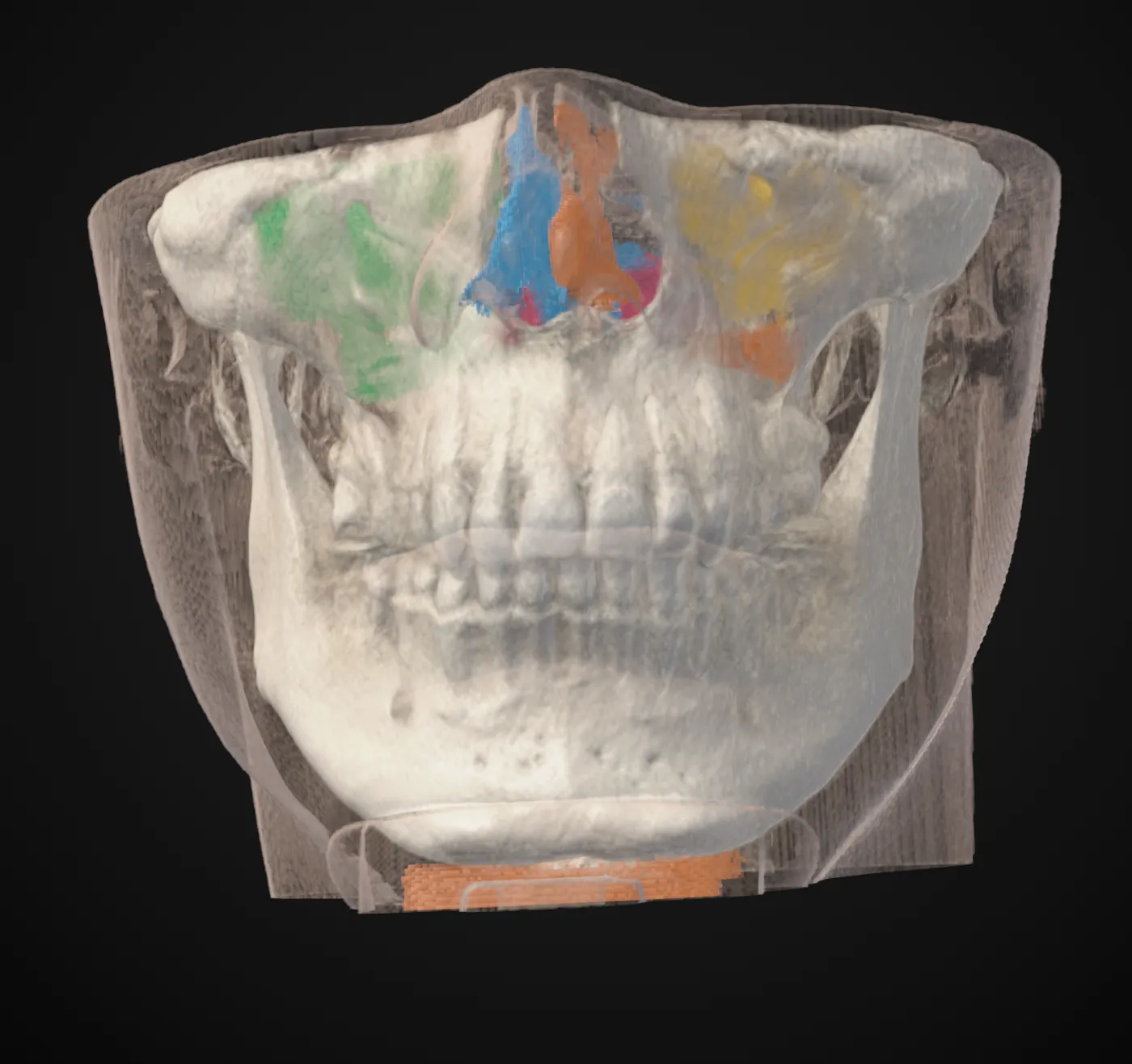
Check the borders before the numbers
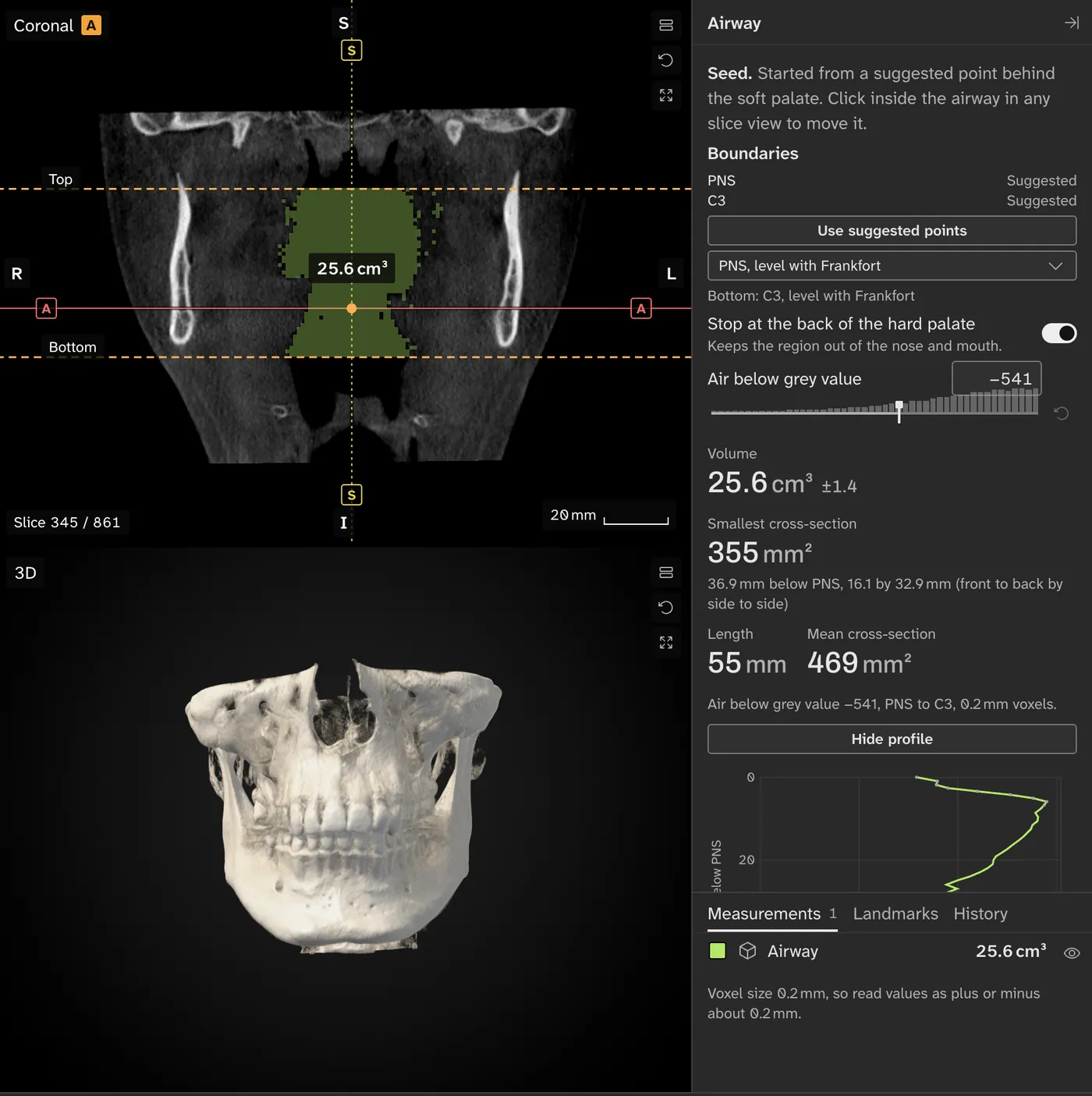
Volume counts the space inside the region. The narrowest cross-section is the smallest slice through it along the tool's path. Move a border and both numbers change.
Neither number, on its own, says anything about breathing, a diagnosis or the need for treatment.
Comparing air spaces over time
Note how each region was selected. A difference between two numbers can come from the selection as much as from the scan.
Save a project to keep the work, and take screenshots of the borders if you want to ask your clinician about a result.